
Add captions to a video
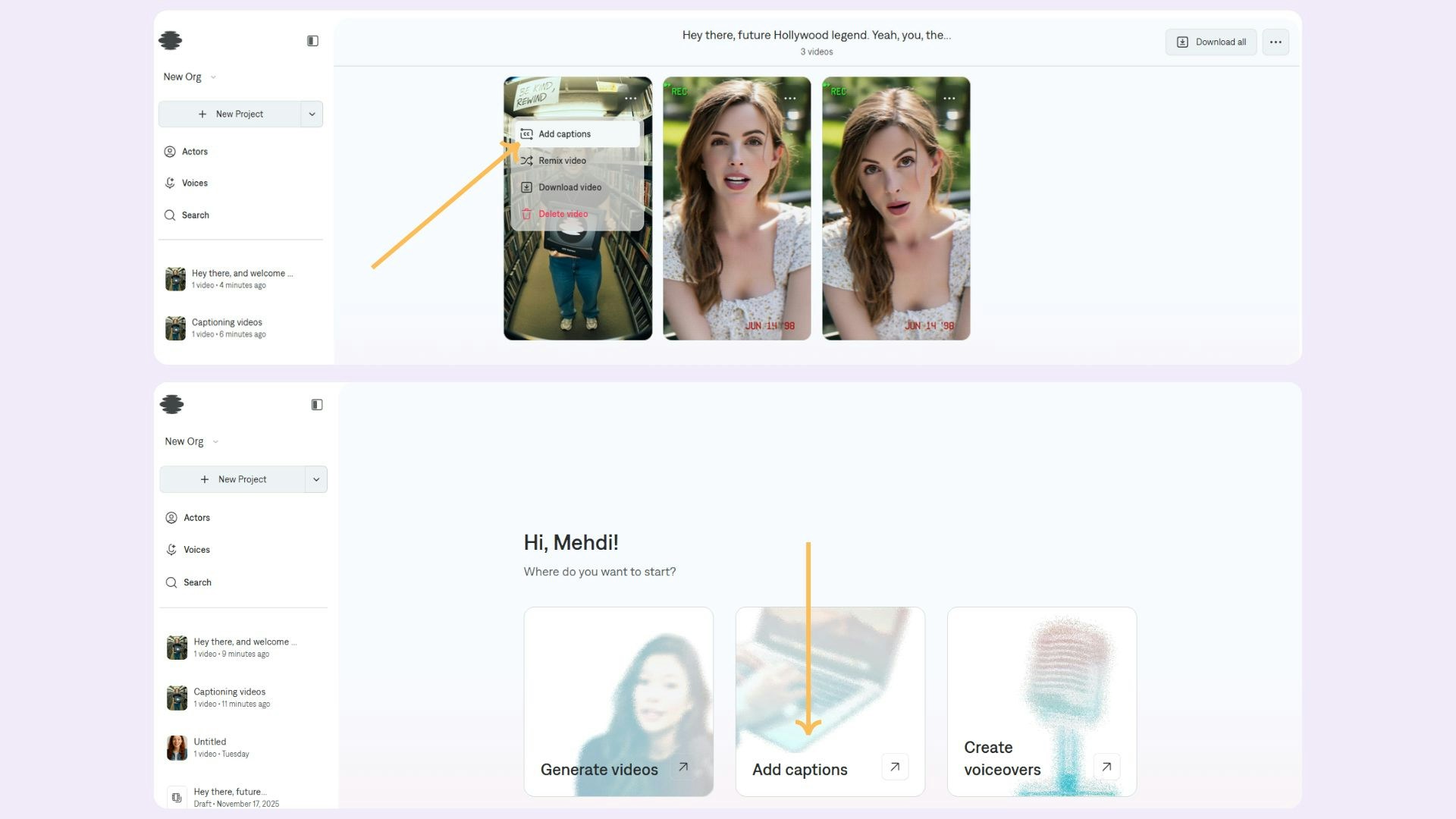
- Click the Add captions button to open the video upload dialog.
- Select an already existing project and click on Add captions from its options menu. Then:
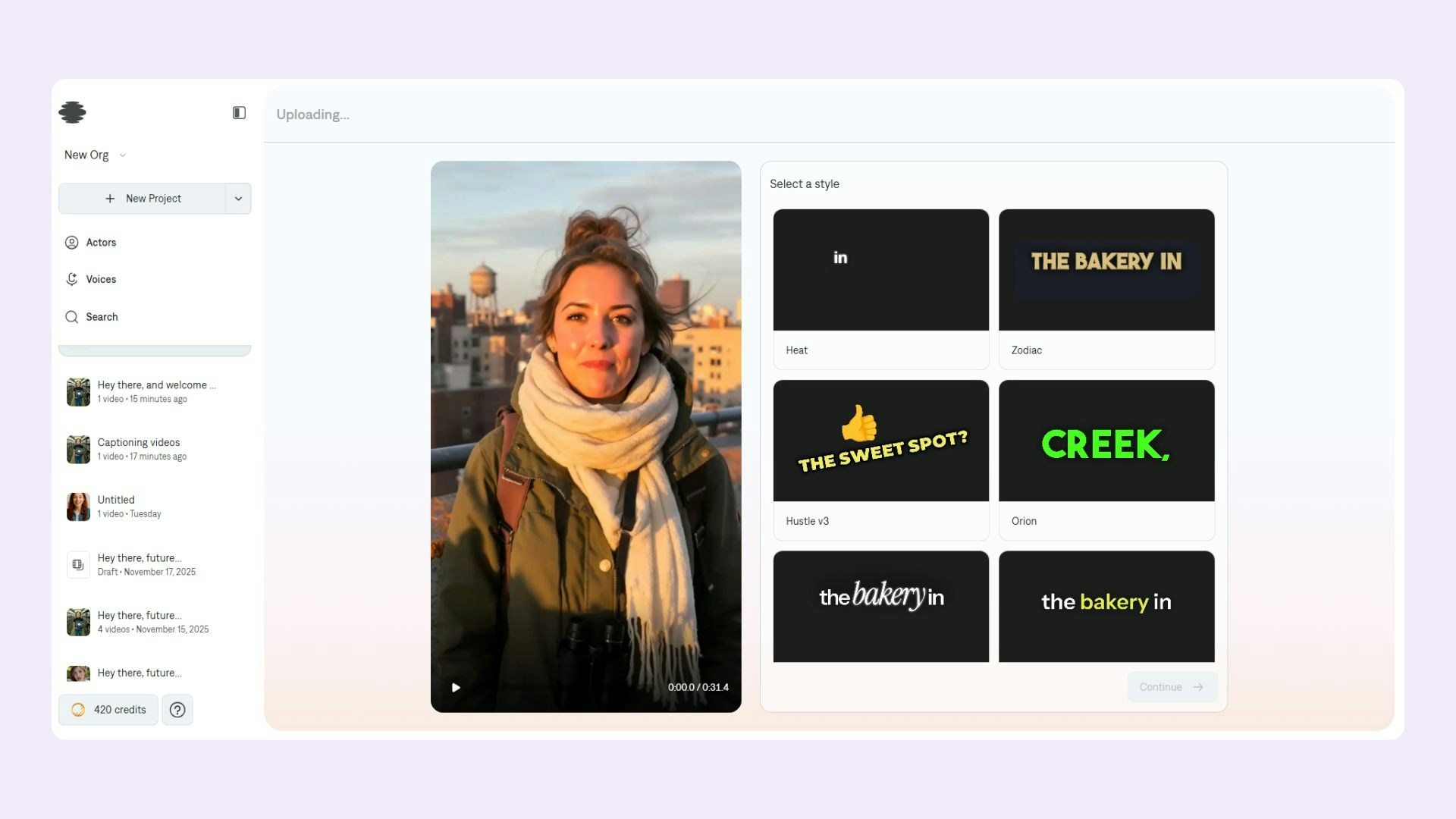
- Select and upload the video you want to caption.
- Choose a caption template style from the available options.
- Wait for processing to complete.
Select a caption style
Download your video
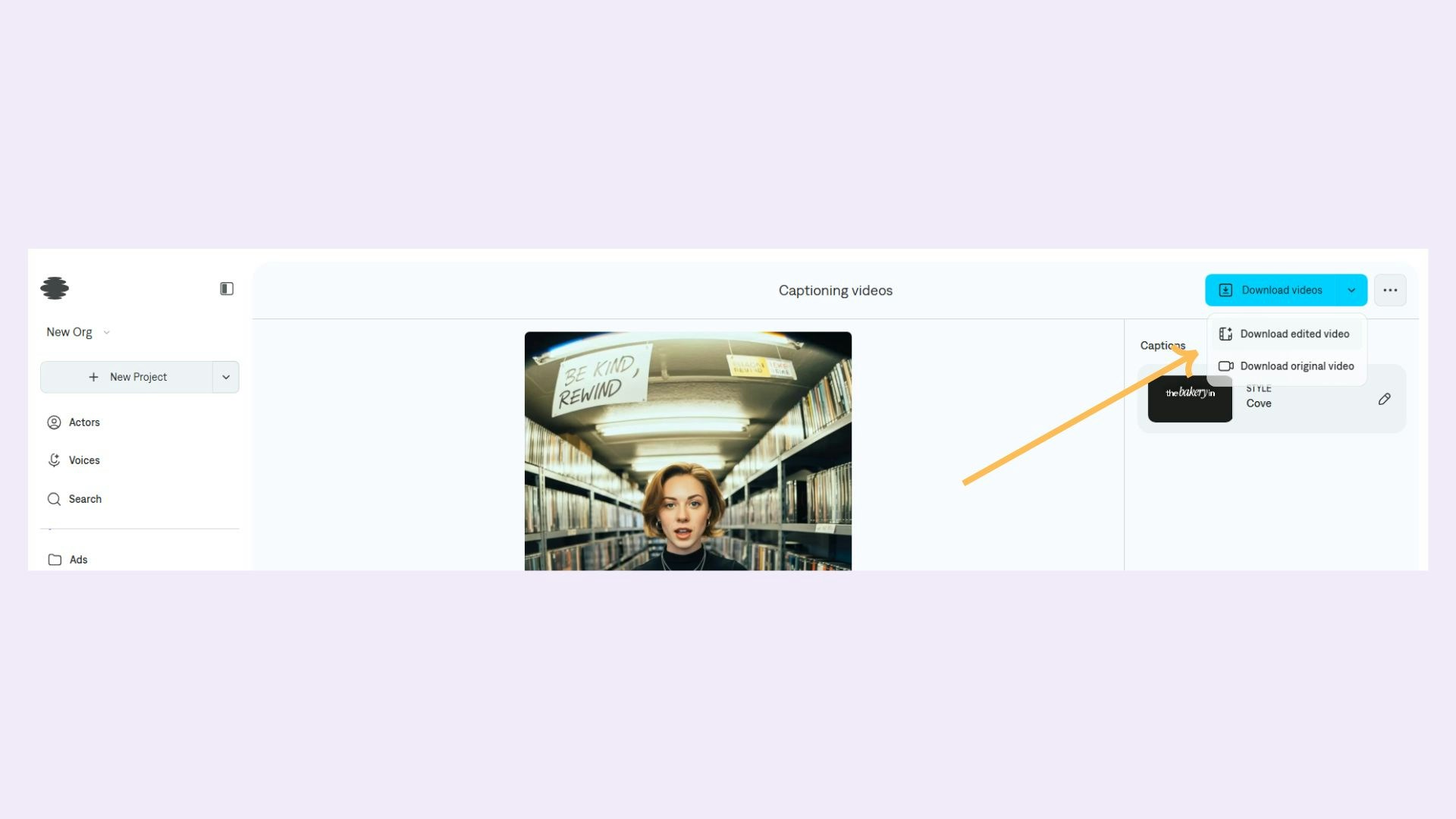
- Download video with captions: Export your video with the applied captions embedded.
- Download original video: Export the original video without captions.
Change caption style
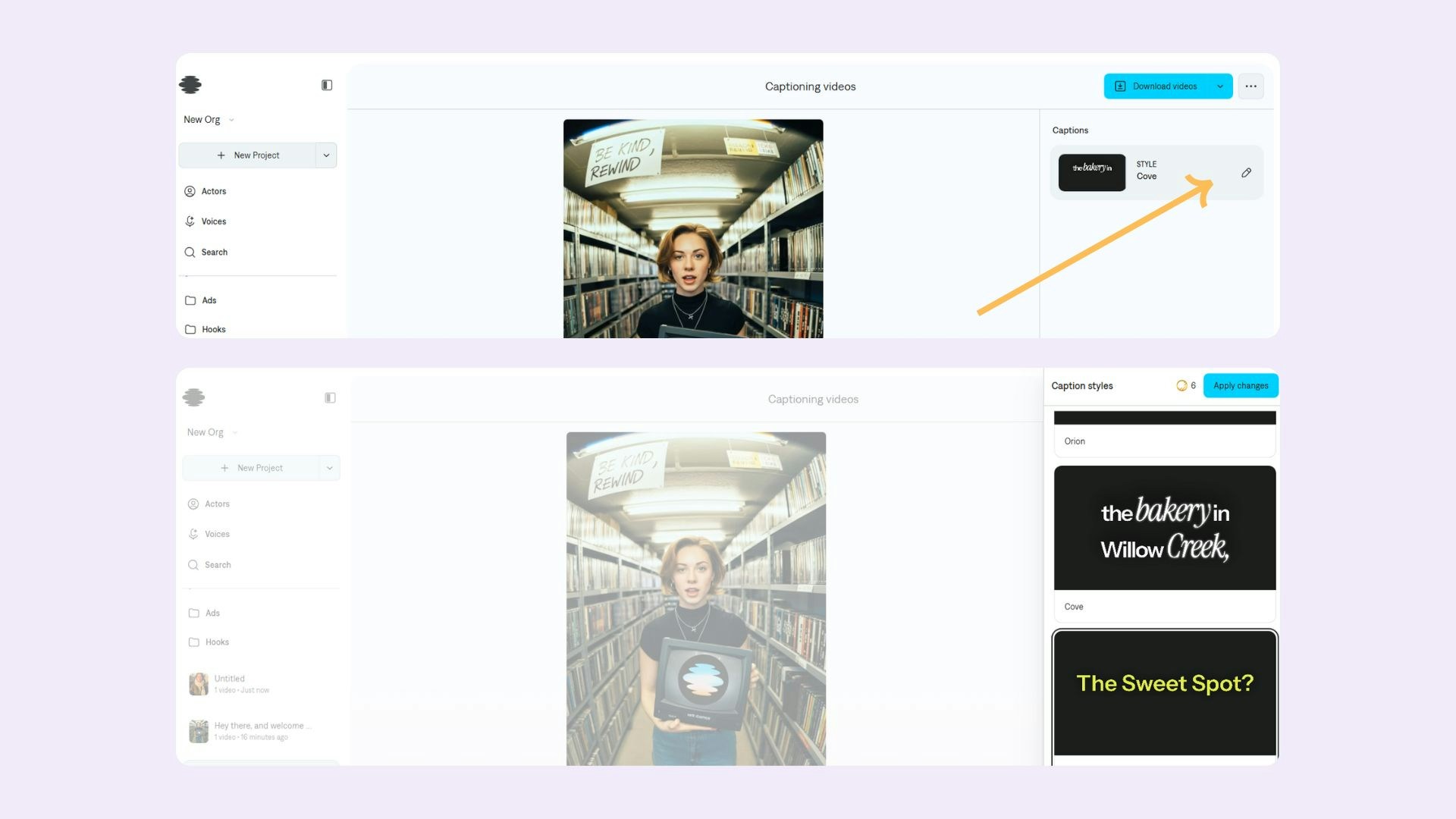
- Locate the edit icon on your current captions template.
- Click the edit icon to open the style selector.
- Choose a new caption template style.
- The captions will update automatically while keeping the same timing and text.
Frequently Asked Questions
What are the video duration limits?
What are the video duration limits?
- Minimum: 4 seconds
- Maximum: 60 seconds
What is the maximum file size?
What is the maximum file size?
- Remix feature: 2 GB maximum
- Home screen uploads: 100 MB maximum
What aspect ratio is required?
What aspect ratio is required?
- Required: 9:16 (vertical/portrait)
- Margin of error: 10% tolerance
What video formats are supported?
What video formats are supported?
- Supported formats: MP4, MOV/QuickTime
- Supported MIME types: video/mp4, video/mov, video/quicktime