
Generate and Display Video Titles Automatically
How It Works
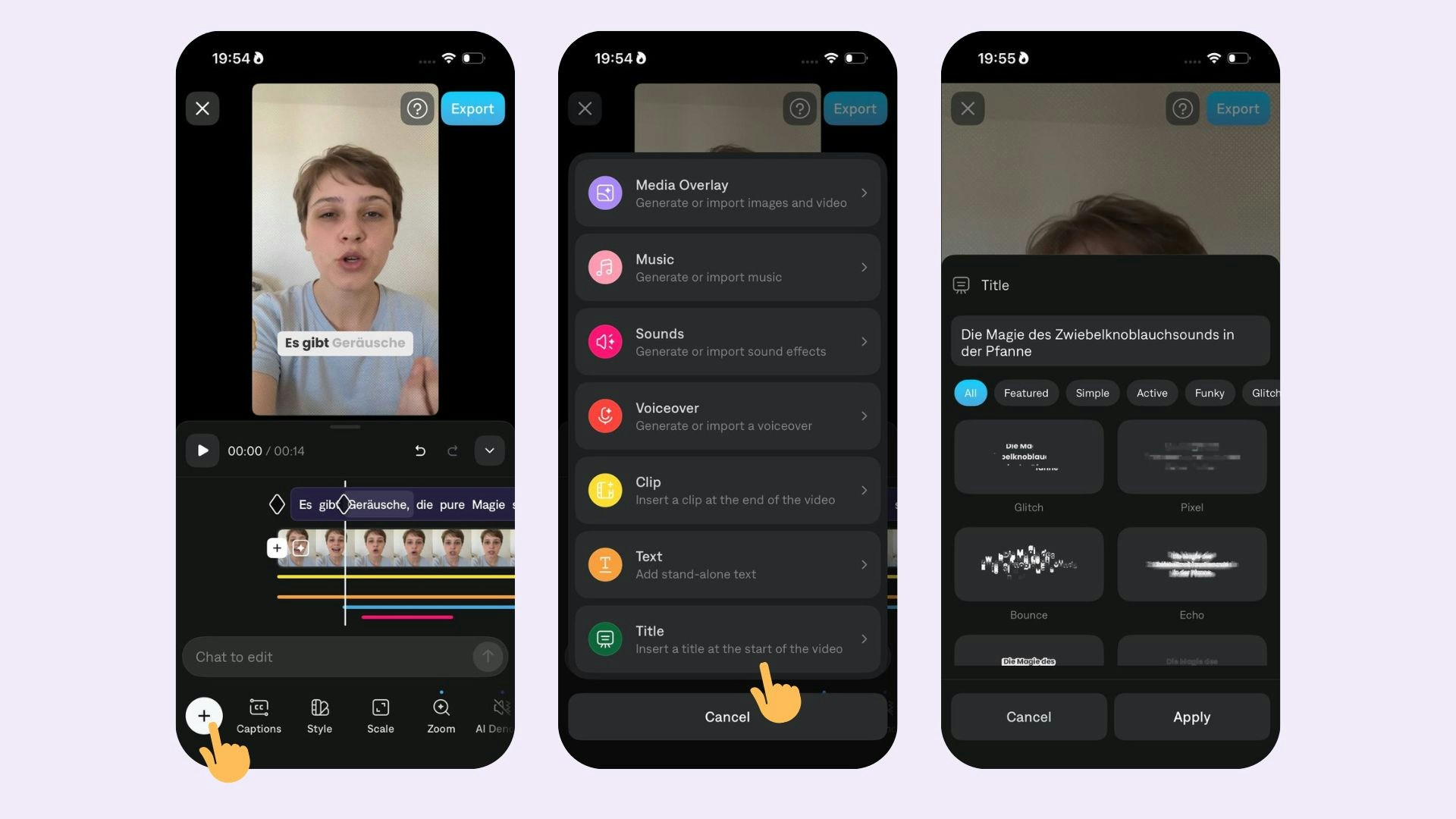
Add a Title
To add a title:- Select Title, a title will automatically be generated based on your captions.
- Choose from a list of options and Apply
Edit Style
Tap on any of the style options:- Edit title text: Tap on the text box and type your updated title.
- Remove title: Choose None
Tips
- When you add a title, any captions that overlap will be hidden. Simply tap on the words and adjust the visibility to unhide them.
- To change the color of the title, first change the color of all of your captions in Style, then apply the Title