
Add clip
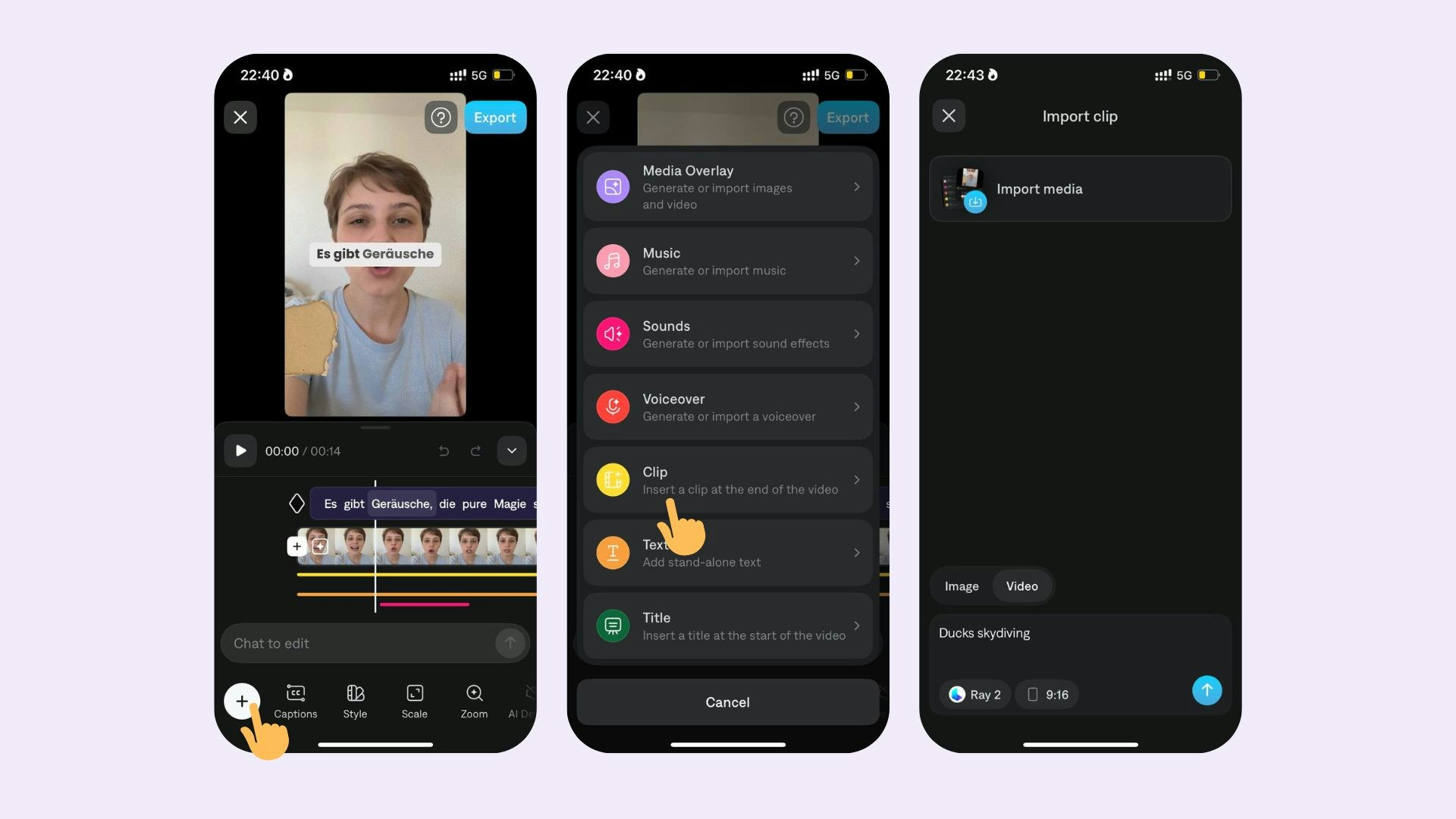
- Tap on the timeline and adjust the timeline to where you’d like to insert a clip
- Select Split
- Tap the icon between your two split clips
- Tap Insert Clip
- Select your clip from your photo album
- Scroll to the beginning of end of your timeline
- Tap + button
Delete clip
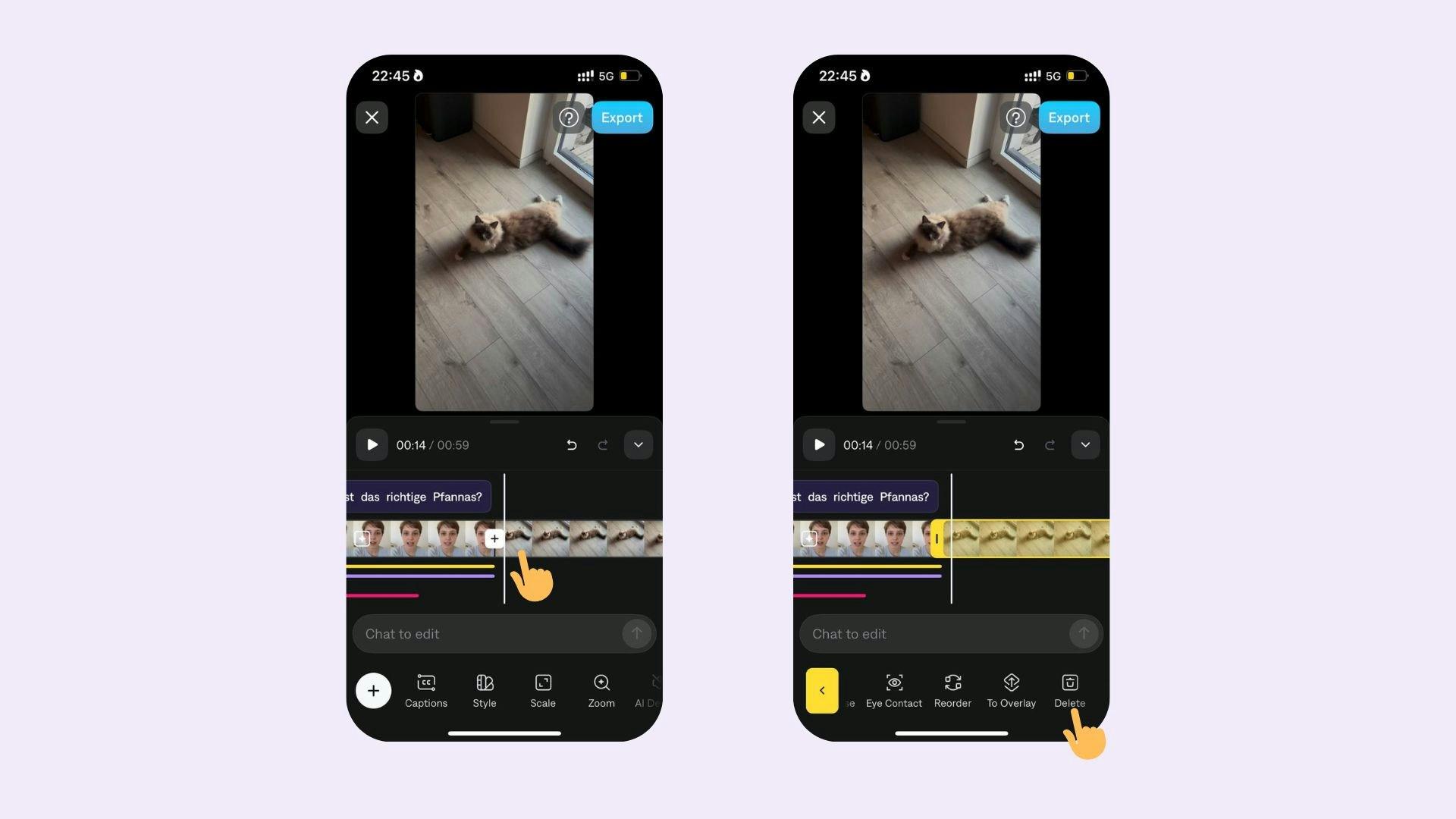
- Tap anywhere on the timeline
- Tap Delete.
- Split the clip at the beginning and end of the portion you’d like to delete
- Tap on the middle clip
- Tap Delete.