How It Works
Generate images and videos
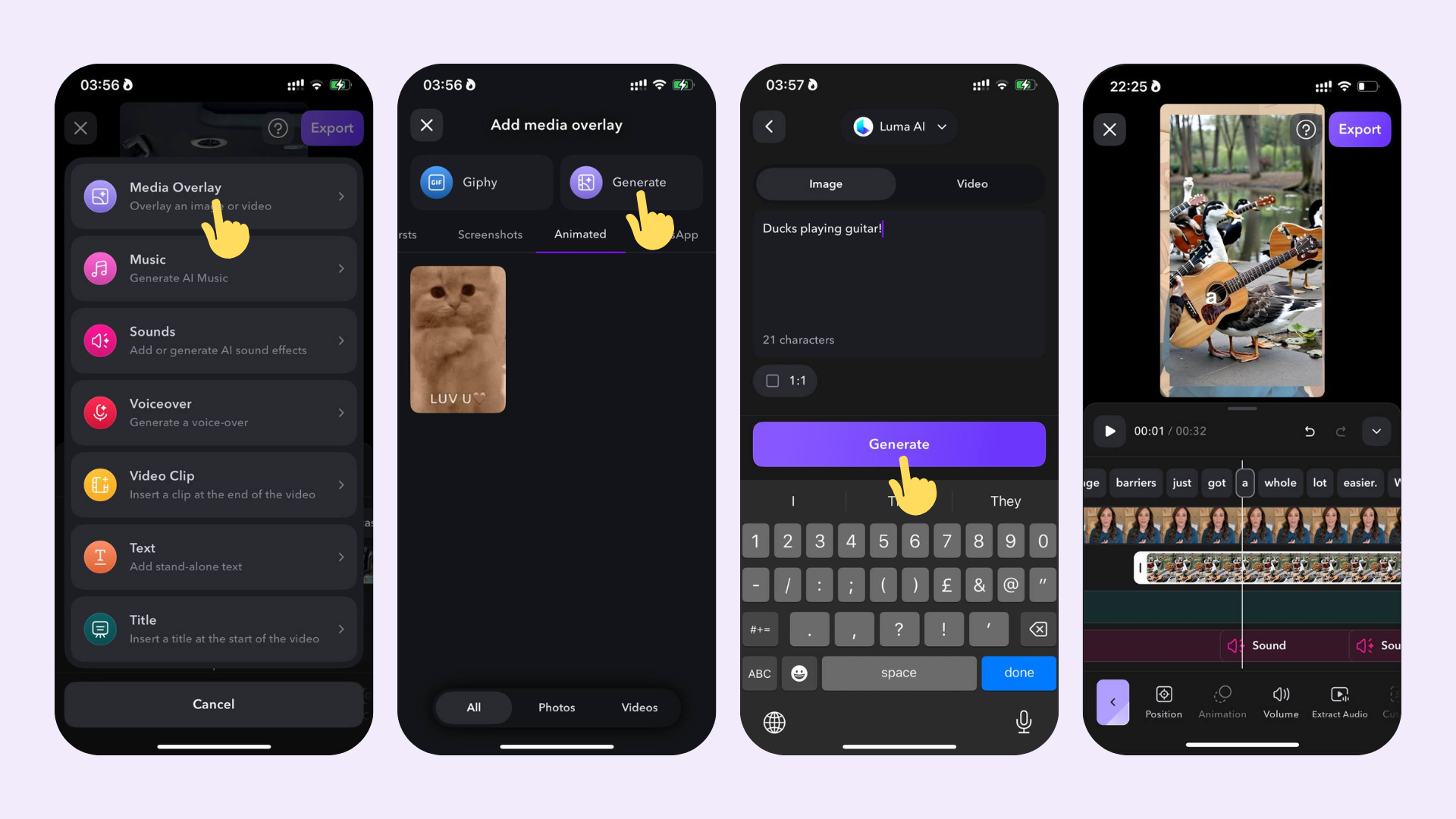
To generate an image or a video clip based on a prompt:- Tap on Generate and select between generating an image or a video
- Write your prompt
- Choose the desired AI model for generating the media overlay
- Set the aspect ratio to 1:1 (optional)
- Tap on Generate and wait for your media to be generated
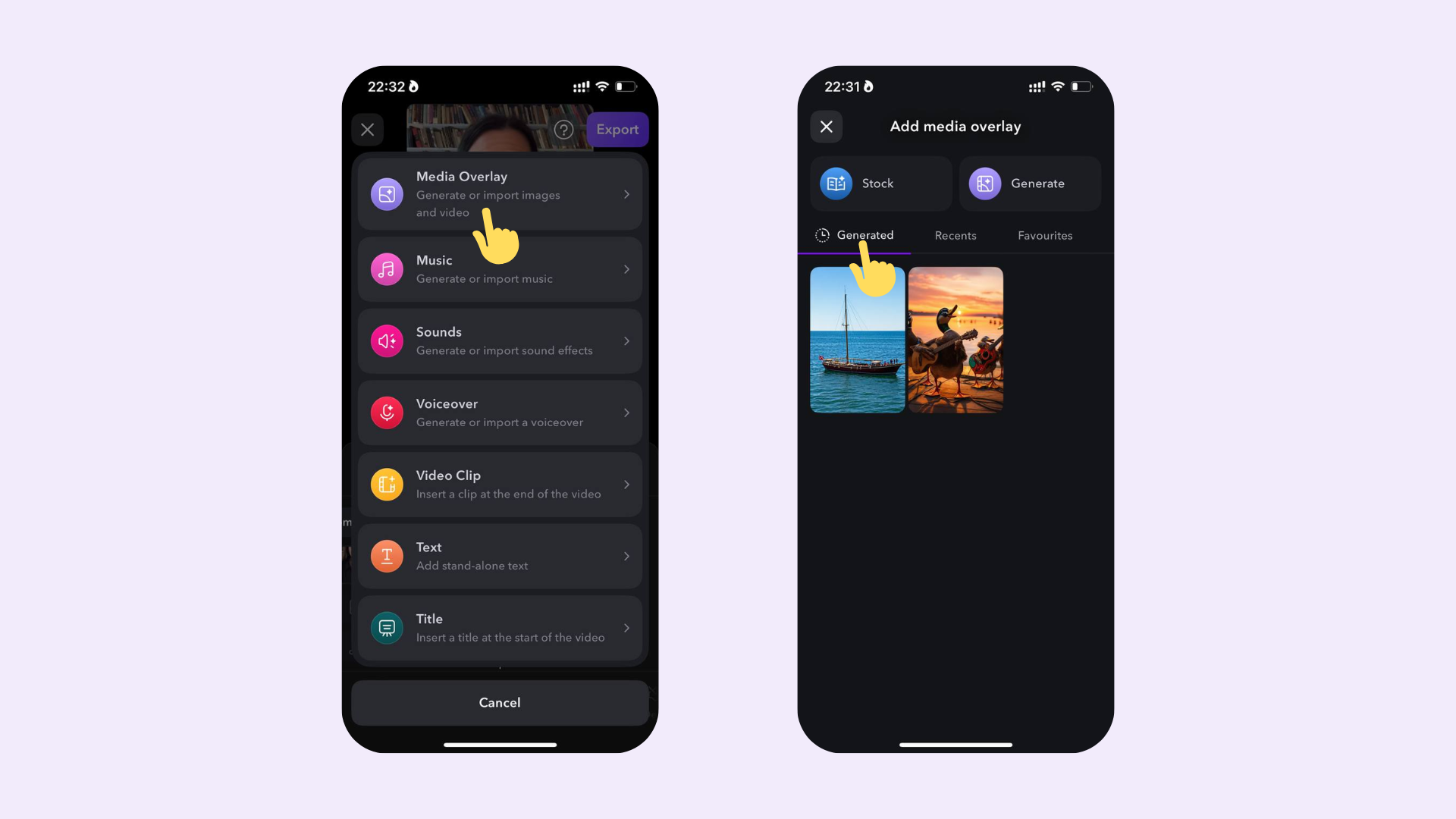
You can re-use AI images and videos that you previously generated from other projects in new projects.