

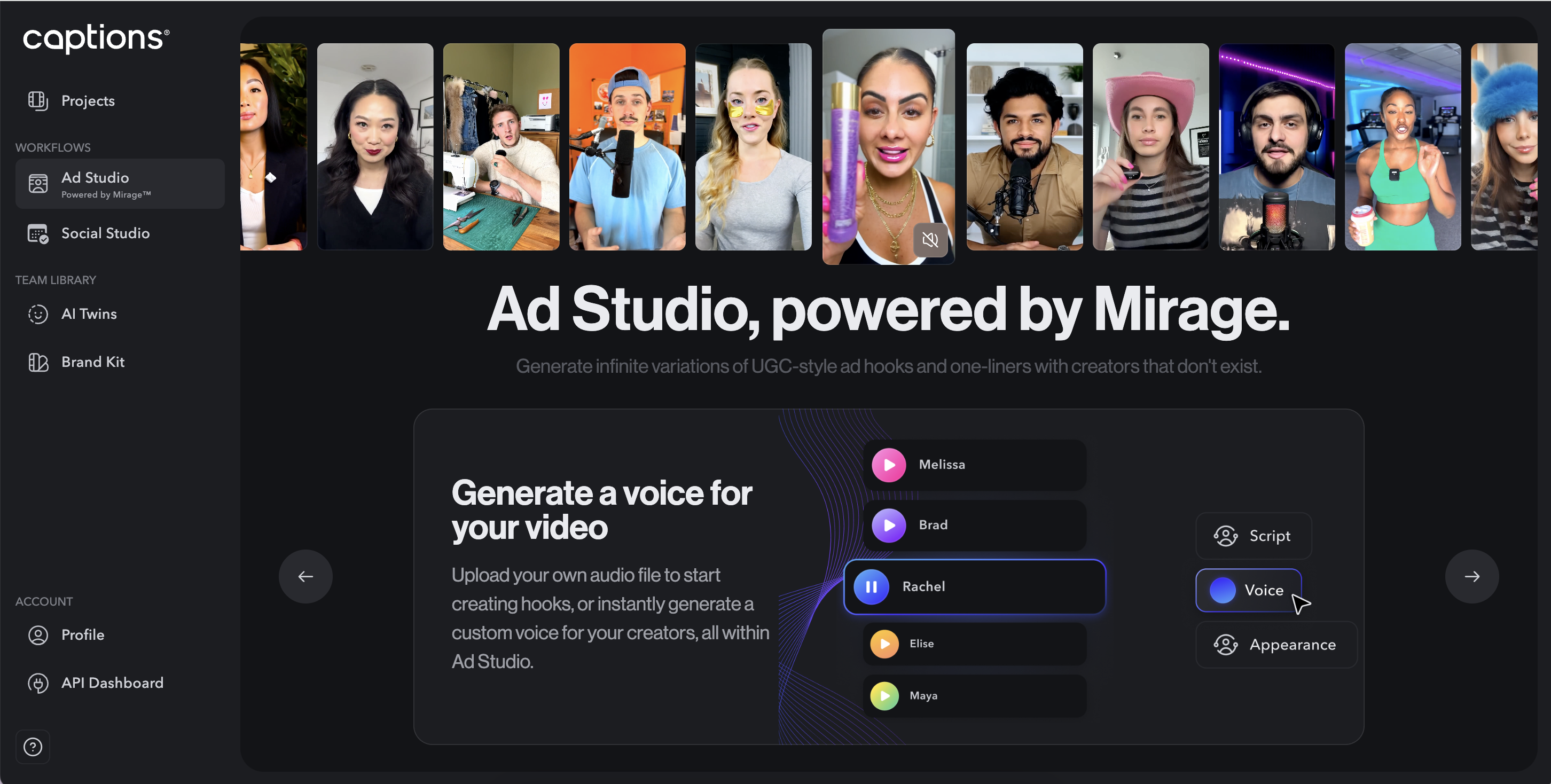
Generate UGC-Style Ads with Mirage Ad Studio
Overview
Ad Studio, powered by Mirage™, completely transforms your current workflow for creating winning social ads. With Ad Studio, you can generate original actors with natural expressions and body language, completely free from licensing restrictions.What is Mirage?Mirage™ is Captions’ new generative video model that powers features like Ad Studio. Mirage™ replaces our older way of generating AI Actors using Lipdub technology and produces more life-like results. Learn more.
- Pricing - Ad Studio, powered by Mirage™ costs 199.
- Ad Studio uses a credit-based system to create videos. The Business & Enterprise plans include 12,000 credits per month. Each second of a Mirage video costs 10 credits.
- How to purchase - Go to the Desktop App, and checkout with a monthly Business plan. If you are looking for multiple seats or other terms, please book a demo here.
How It Works
Duration
You can currently generate videos up to 8 seconds in length, ideal for hooks, intros, and call-to-actions. The ability to generate longer videos is coming soon.Appearance
You can generate an unlimited number of actors and backgrounds, including:- Characters - Gender, ethnicity, age, hair style and color, makeup, clothing, accessories, jewelry, objects in frame, and objects being held. You can also control body position, eye contact, and expression.
- Background - Location, time of day, camera effects, camera position, and lightning
- Reusing actors - The ability to reuse an AI Actor to generate multiple videos with the same likeness is coming soon.
- Product placement - The ability to import exact items to be held by the actors is coming soon.
Voice
You can choose from a list of hundreds of generated voices or upload your own audio.- Languages - Generated voices are available in Arabic, Azerbaijani, Bahasa Indonesia, Bahasa Melayu, Chinese, Czech, Danish, Dutch, English, Filipino, Finnish, French, German, Greek, Hebrew, Hindi, Hungarian, Indonesian, Italian, Japanese, Kazakh, Korean, Lithuanian, Malay, Nepalese, Norwegian, Polish, Portuguese, Romanian, Russian, Serbian, Slovak, Slovenian, Spanish, Swedish, Tamil, Thai, Turkish, Ukrainian, Urdu, Vietnamese. We also support all languages if you upload your audio.
- Accents - Country and language-specific accents are coming soon!
How To Generate A Video
Write your script
Write your script
What do you want your actor to say?Input Methods
You can either type out a script or upload audio directlyDuration
Scripts can be up to 8 seconds in duration, with longer videos being supported soon. You can type out a script (or upload audio) longer than 8 seconds and then adjust to be 8 seconds or less.Content
Keep in mind that some scripts will trigger content moderation so please ensure you are generating videos within the bounds of our acceptable use policy.Outputs
You can generate 1-4 outputs at a time. Each generation will take a little less than 1 minute per 1 second of video generated.
You can either type out a script or upload audio directlyDuration
Scripts can be up to 8 seconds in duration, with longer videos being supported soon. You can type out a script (or upload audio) longer than 8 seconds and then adjust to be 8 seconds or less.Content
Keep in mind that some scripts will trigger content moderation so please ensure you are generating videos within the bounds of our acceptable use policy.Outputs
You can generate 1-4 outputs at a time. Each generation will take a little less than 1 minute per 1 second of video generated.
Choose your voice
Choose your voice
How do you want your actor to sound?Language
Your Actor can speak 39 languages (more if you upload audio). We support Arabic, Azerbaijani, Czech, Danish, German, Greek, Spanish, English, Finnish, Filipino, French, Hindi, Hungarian, Indonesian, Italian, Hebrew, Japanese, Kazakh, Korean, Lithuanian, Malay, Nepali, Dutch, Norwegian, Polish, Portuguese, Romanian, Russian, Slovak, Slovenian, Serbian, Swedish, Tamil, Thai, Turkish, Ukrainian, Urdu, Vietnamese, Chinese (Simplified).AI Voice Models
You can choose from voices from Cartesia, PlayHT, OpenAI, and ElevenLabs.
Your Actor can speak 39 languages (more if you upload audio). We support Arabic, Azerbaijani, Czech, Danish, German, Greek, Spanish, English, Finnish, Filipino, French, Hindi, Hungarian, Indonesian, Italian, Hebrew, Japanese, Kazakh, Korean, Lithuanian, Malay, Nepali, Dutch, Norwegian, Polish, Portuguese, Romanian, Russian, Slovak, Slovenian, Serbian, Swedish, Tamil, Thai, Turkish, Ukrainian, Urdu, Vietnamese, Chinese (Simplified).AI Voice Models
You can choose from voices from Cartesia, PlayHT, OpenAI, and ElevenLabs.
Actor appearance & background
Actor appearance & background
Tips for promptingActor - 1st sentence
Describe the person’s physical appearance, including ethnicity, gender, hair, age, clothing, and accessories.
Actor - 2nd sentence
Capture their expression, gaze direction, emotional state, and any notable gestures or movements.
Background - 1st sentence
Detail the surrounding environment, identifying the setting type and any significant background elements.
Background - 2nd sentence
Specify the camera shot type, angle, movement, and lighting conditions that shape the scene’s mood.
Describe the person’s physical appearance, including ethnicity, gender, hair, age, clothing, and accessories.
| Variable | Examples | Prompt Example |
|---|---|---|
| Gender | Male, female | She is |
| Ethnicity | Black, East Asian, Caucasian, etc. | an East Asian woman |
| Age | 20s, 30s, 40s, etc. | in her mid 30s |
| Hair | Blue hair, tight ponytail, bald | With brown hair and bangs partially covering her forehead |
| Makeup | Light makeup, red lipstick | With light makeup, rosy cheeks, and dark red lipstick on her lips |
| Clothing | White button down shirt, blue t-shirt, white wedding dress | Wearing white full length wedding dress |
| Accessories | Purple, baseball cap, septum piercing | With large gold hoop earrings |
| Objects | iPhone, Android, computer, lipgloss, green apple | Holding a bouquet of flowers |
Capture their expression, gaze direction, emotional state, and any notable gestures or movements.
| Variable | Examples | Prompt Examples |
|---|---|---|
| Body Position | Standing, sitting | She is standing |
| Eye Contact | Looking at camera, looking slightly to the left | Maintaining eye contact with the camera |
| Expression | Talking enthusiastically, calmly talking | Talking enthusiastically |
Detail the surrounding environment, identifying the setting type and any significant background elements.
| Variable | Examples | Prompt example |
|---|---|---|
| Starting Prompt | The background features | |
| Location | A park with trees, Las Vegas strip | The outside of a beautiful church |
| Time of day | Morning, night, sunrise | It is mid-day and sunny |
Specify the camera shot type, angle, movement, and lighting conditions that shape the scene’s mood.
| Variable | Examples | Prompt example |
|---|---|---|
| Starting Prompt | There is | |
| Camera effects | Blur, clear | A slight blur on the background |
| Camera position | Wide, tight | The shot is a wide shot |
| Lighting | Soft lighting, hazy | With natural lighting |
Refine & export
Refine & export
Refining Results
After generation is complete, you can click on the script icon on the top left of each output to remix or further refine resultsEdit
You can export and then import back to the Captions app to further edit (soon, we will support opening directly in the editor)
After generation is complete, you can click on the script icon on the top left of each output to remix or further refine resultsEdit
You can export and then import back to the Captions app to further edit (soon, we will support opening directly in the editor)
What is a hook?
The first 3-4 seconds of your ad is called a “hook.” Industry data shows most viewers don’t watch past these crucial opening moments, making them critical to ad success.Hook testing and why it matters
Hook testing and why it matters
- Industry standard: Approximately 80% of testing and R&D budgets are dedicated to hook testing
- Viewer attention: Most viewers don’t continue watching ads past the 3-second mark
- Efficiency: Testing just 4 seconds delivers valuable insights on viewer engagement
- ROI focus: Perfecting opening moments yields the highest return on investment
Strategic applications
Strategic applications
Test variations of successful creative
- Iterate on already performing concepts
- Discover additional winning elements
- Extend effective ads with minimal investment
- Test new approaches with existing concepts
- Transform failed concepts with improved hooks
- Keep proven ad bodies while testing new hooks
- Expand your portfolio of winning ads
Benefits
Benefits
- Time efficiency: Create multiple variations with a single operation
- Cost-effectiveness: Test without full production costs
- Performance improvements: Focus testing on the moments that matter most
- Expanded reach: Discover which hooks appeal to different audience segments
What To Do After Hook Generation
After you’ve generated your hook, here’s what to do next:Implementation & Testing
Implementation & Testing
Apply Your Hook
Upload your ad to Captions and replace the existing hook with your new one.Test Thoroughly
Run A/B tests to measure performance improvements in view rates and conversions.
Upload your ad to Captions and replace the existing hook with your new one.Test Thoroughly
Run A/B tests to measure performance improvements in view rates and conversions.
Optimization
Optimization
Experiment with Variations
Return to Ad Studio to test different:
Keep what works best and iterate.
Return to Ad Studio to test different:
- AI actors/speakers
- Hook approaches (questions, stats, problems/solutions)
- Emotional tones
Keep what works best and iterate.
Scaling
Scaling
Localize
Translate successful hooks into multiple languages to expand reach.Integrate Across Channels
Use your winning hooks in other marketing materials for consistency.
Translate successful hooks into multiple languages to expand reach.Integrate Across Channels
Use your winning hooks in other marketing materials for consistency.
Frequently Asked Questions
Who owns the rights to the videos I create?
Who owns the rights to the videos I create?
You retain full rights to all videos created using Ad Studio. The AI-generated creators are completely virtual and free from licensing restrictions. You can read more in our Terms and Conditions.
Can I create videos in languages other than English?
Can I create videos in languages other than English?
Yes, Ad Studio supports scripts in multiple languages. The system automatically detects your language and generates appropriate performances.
How accurate is the lip-syncing?
How accurate is the lip-syncing?
Unlike other solutions that simply alter existing footage, Mirage creates videos with natural lip movements, expressions, and the entire video will be matched to your audio, resulting in highly realistic synchronization.
What if I'm not satisfied with the generated videos?
What if I'm not satisfied with the generated videos?
Each generation creates multiple variations. If none meet your needs, you can adjust your inputs (script, voice, or appearance description) and generate new options.
Can I edit the videos after they're generated?
Can I edit the videos after they're generated?
Yes, all videos can be downloaded and further edited using other Captions tools or your preferred video editing software.
Is there a limit to how many videos I can generate?
Is there a limit to how many videos I can generate?
Business plan subscribers can generate an unlimited number of ads and remixes. Enterprise customers can contact their account manager for details about their specific plan limits.
Do you only support generation of humans?
Do you only support generation of humans?
Officially, yes. However, you can prompt for common animals like dogs and cats and the results are awesome.